




Author:
Stewart Berry
Images: Dan Martin
12 December 2025
Online mapping software has seen significant advancements over the past year. In 2025, we are witnessing new trends and technologies that are transforming the way we interact with maps and geospatial data. This article highlights the top 10 online mapping software for 2025, showcasing the latest features and improvements.
Online maps are becoming increasingly essential for a variety of purposes. From creating visual representations of spreadsheet data to optimizing sales territories and completing data visualization projects, there are many ways to make use of them. With the sheer number of online mapmaking platforms now available, it can be difficult to find the best mapping software to suit your needs.
Before deciding, you should evaluate which features are offered, the pricing, and any advantages or disadvantages. To help you make an informed choice, we’ve compiled a list of the top 10 free and paid online mapping tools for 2025. This breakdown of available software provides information to make sure you are selecting the right tool for your specific use case.
Each of these platforms provides unique capabilities, ranging from basic mapping to complex geographic analysis and data visualization. However, it's important to understand the pros and cons of each platform before deciding on which one to use.
Mapping software has become an invaluable tool for businesses, organizations, and individuals alike. From tracking deliveries to optimizing routes, it has made it easier to manage complex tasks with greater accuracy. With so many options out there, it can be hard to decide which mapping software is best for you. To help you out, here are the 10 best online mapping software programs, along with their positives and negatives.
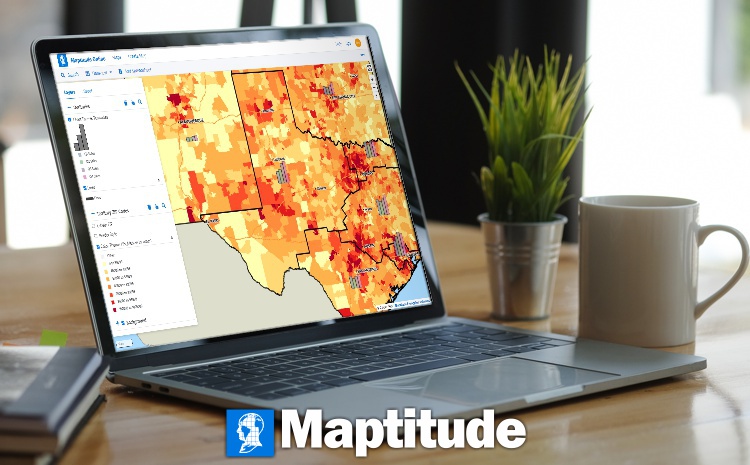
Maptitude continues to be a leader in the online mapping software space. For 2025, Maptitude has introduced several significant updates that enhance its mapping and location services. The latest version includes enhancements to sales territory management, sharing, visualizations, and logistics/operations analytics. These updates make Maptitude the fastest and most intuitive professional mapping application.
Whether you want an offline or online mapping solution, one-off pricing, or a subscription, Maptitude mapping software has you covered. No matter which option you choose, you get access to an extensive range of analytical, reporting, sharing, and visualization tools. In addition, Maptitude comes with extensive data for traffic counts, demographics, business locations, and much more.
Not only do you have the greatest flexibility in the software pricing model you are most comfortable with, but the prices for each option are the lowest in the mapping industry.

|
“I've been using Maptitude for more than 15 years. It is simply the best tool available for businesses that need a market planning mapping and data resource. It can do everything I need it to do - from the very simple to the complex. It integrates nicely with other programs and file types making analysis and presentation very easy. I highly recommend Maptitude to firms who need a function-rich GIS mapping solution. It is the best!”
|

|
“Pros: Cost. Much easier to reach a purchasing decision. I loved the integrated country data package so I didn't have to download census layers and other info - it was all built in.”
|
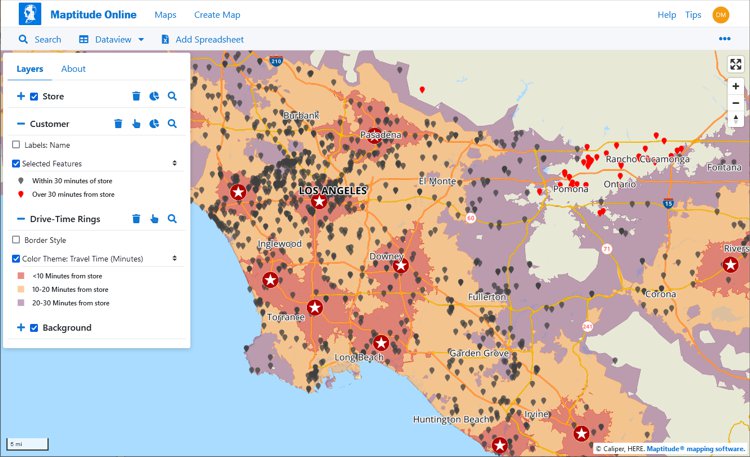
Maptitude is a powerful GIS software suite that offers a range of mapping and data analysis capabilities. It is designed for organizations that need to visualize and analyze their data, while providing support for most geospatial data formats. Pros of Maptitude include a range of powerful features, ease of use, and extensive data analysis capabilities. Additionally, it is the most cost-effective solution compared to any other GIS or mapping system.
Desktop or online versions are available, both of which provide extensive capabilities for reporting and business intelligence such as sales territory alignments, heat maps, routing, and logistics.
Pros:
Cons:

This interactive map lets you see the population, age, and income data for U.S. ZIP Codes
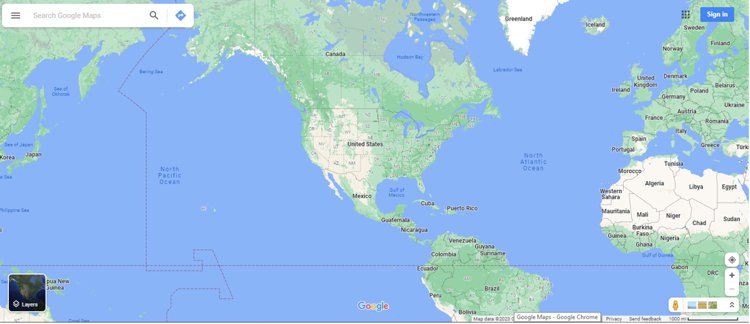
Google Maps is a household name, and for 2025, Google Maps has added new real-time data layers and enhanced route optimization features, making it even more useful for navigation.
Google Maps is one of the most popular programs, and for good reason. It offers satellite and street views, real-time traffic updates, and more. Pros: It’s free to use and easy to navigate. Cons: It doesn’t have as many default map customization options as some of the other mapping software programs and is lacking in out-of-the-box analytical tools.
Pros:
Cons:
For 2025, Mapbox has introduced new visualization tools and improved performance, making it a go-to choice for developers and designers.
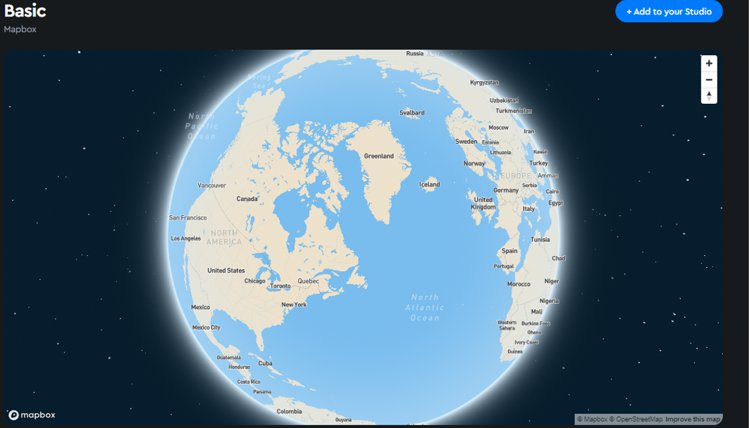
Mapbox is a cloud-based, developer-oriented mapping platform designed for embedding customizable maps into applications. It supports 3D visualization, uses fast-loading vector tiles, and provides a wide selection of map styles along with access to data layers such as satellite imagery and terrain. Mapbox can incorporate real-time updates through dynamic layers like heatmaps and traffic visualizations, making it suitable for organizations building their own mapping interfaces or workflows.
Some of the features are only available in the paid versions and the software has been geared toward programmers who develop custom solutions. In fact, Maptitude Online leverages Mapbox to provide a best of breed solution.
Pros:
Cons:
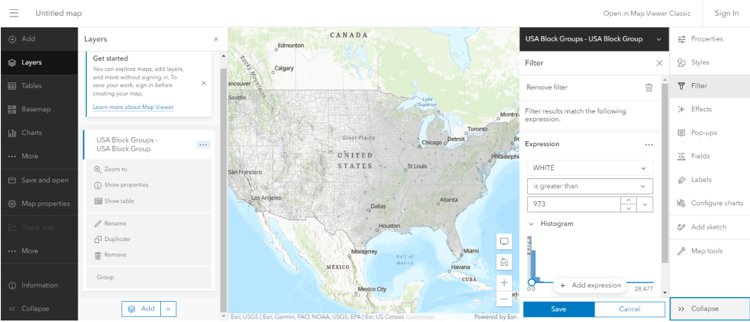
ArcGIS Online by Esri remains a powerful tool for technical mapping and spatial analysis. The 2025 version includes improved performance and new collaboration features, making it easier for teams to work together on mapping projects.
The software from Esri is popular in many sectors such as education and government. It offers a wide range of features and tools that allow users to create, share, and analyze maps. Pros include the ability to access data from multiple sources, powerful analysis tools, and the ability to share maps with others. Cons include users reporting a steep learning curve and the cost of subscription fees and credits for usage.
The strength of ESRI software lies in its flexibility, allowing users to customize the software to their needs. Plus, there is a wide range of add-on products available. Additionally, extensive online support and documentation are available for users.
On the other hand, using ESRI software can require a significant investment in time to learn its features and may be too costly for some users compared to lower cost options. Ultimately, ESRI is a powerful GIS and data visualization tool but it is important to carefully consider the pros and cons before deciding if it is the best option for your needs.
Pros:
Cons:
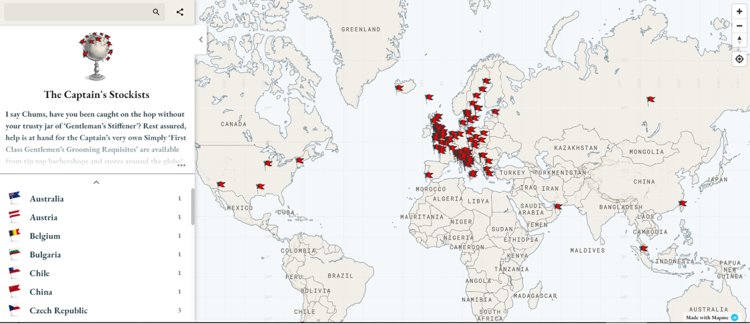
For 2025, MapMe has introduced updates to enhance usability with a map builder redesigned interface. Additionally, MapMe has added support for SVG image files, improved accessibility features, and introduced a location list that filters and displays locations based on the current map view.
MapMe is an online mapping platform for creating custom maps with satellite imagery, street views, and more. Pros: It’s easy to use, offers a wide range of customization options, and is relatively affordable. Cons: It’s software aimed at those hosting online interactive mapping rather than those doing business analysis.
Pros:
Cons:
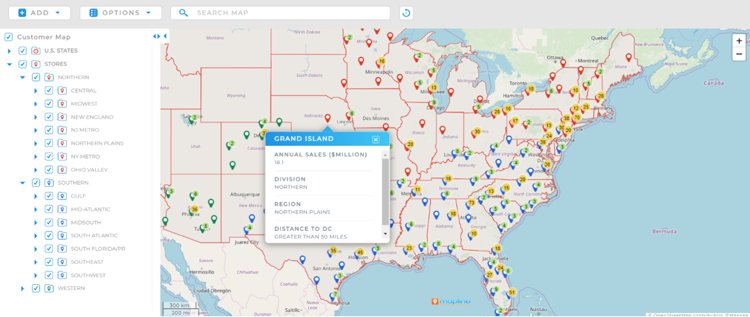
Mapline is a web-based mapping tool that allows users to create customized maps. It allows users to add multiple data layers, track and analyze data, and share maps. Pros of Mapline include the ability to easily customize maps with various data layers, track and analyze data, and share maps with others. Cons of Mapline include the fact that it can be difficult to use for those who are not familiar with mapping software, and Mapline pricing has been on the more expensive side.
Updates for 2025 improve user workflows and data visualization. The upgraded email editor has a larger lightbox editor and refined visuals for professional emails. New tools for data integration and communication help users make data-driven decisions.
Pros:
Cons:
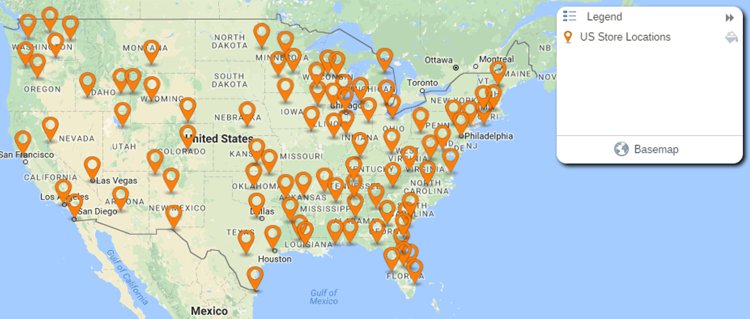
eSpatial is a web-based Geographic Information System (GIS) platform that enables users to visualize, analyze, and share spatial data. It provides a range of tools for performing location-based analysis, creating online interactive maps, and sharing insights.
eSpatial offers a range of analytical tools for quickly and easily analyzing spatial data and makes it easy to securely share maps with colleagues and customers. However, the tiered pricing plans segment their feature offerings and are much more costly than most other similar applications.
eSpatial has introduced new features for 2025 for map rendering and visualization. A new map wizard simplifies access to all available map types. eSpatial has also introduced account-based territory optimization using the road network, specifically for field-based sales teams.
Pros:
Cons:
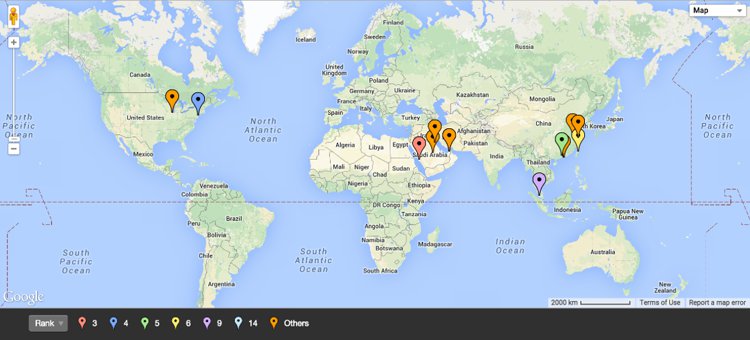
BatchGeo is a web application that visualizes data quickly and easily on a map and is best known for the bulk geocoding of locations. It enables users to take their address data, upload it to the app, and create a map of their data points. It also has several customization options, including labels, styling, and search capabilities. For 2025 we couldn't determine the recent changes or improvements in the application, and so Batchgeo has dropped a spot in our rankings this year.
BatchGeo is designed for users of any experience level and is easy to learn. Users can customize the look and feel of their map, as well as how their data is presented. It allows the user to upload data from several sources, including CSV, KML, and GeoJSON files and allows users to quickly find data points on the map using a powerful search function.
However, BatchGeo does not offer the same level of data visualization tools as more advanced GIS software. Also, the pricing model allows users to pay for more features as they need them. This can be expensive in the long run. BatchGeo’s customer support is limited, and users may have difficulty obtaining help when they need it.
Pros:
Cons:
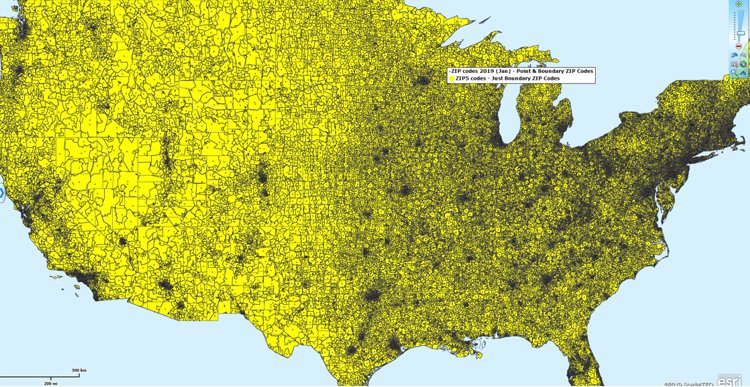
MapBusinessOnline offers a variety of features, including the ability to create custom maps, analyze customer data, and publish maps.
For 2025, there is a new “Starter” offering for users with basic mapping requirements, allowing imports of up to 20,000 location records per map, as well as enhanced territory tools.
Pros:
Cons:
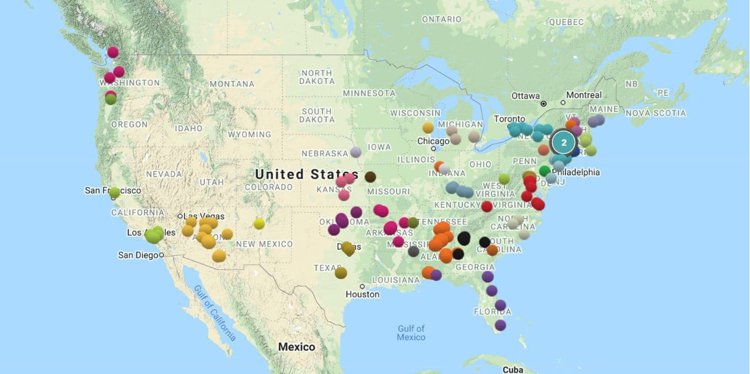
Maptive produces professional-looking, interactive maps from your data. It provides a range of features, such as the ability to build and share maps and explore data.
Maptive planned to release Version 5 during 2024, using OpenGL to improve performance and data visualization and a new automated territory management algorithm.
Pros:
Cons:
While not a commercial product, and not making our top 10 list, OpenStreetMap (OSM) is a free, open-source, and community-driven mapping platform that allows users to create and edit detailed maps of the world. Unlike many commercial mapping software, OSM is built and maintained by a global community of volunteers, providing a unique and collaborative mapping experience.
For 2025, the platform has seen significant contributions and updates, making it more accurate and comprehensive than ever before.
While OSM may not offer the same level of advanced features as some commercial mapping software, its community-driven approach and open-source nature make it a valuable tool for organizations and individuals with limited budgets or a need for more customizable mapping solutions.
Pros:
Cons:
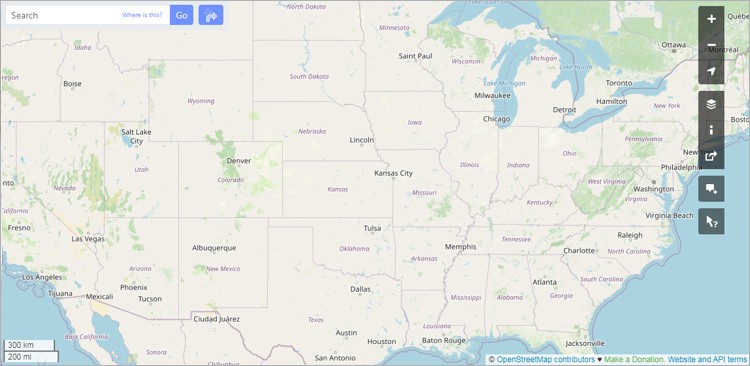
QGIS: QGIS is an open-source GIS application with a broad plugin ecosystem that supports a range of workflows from basic cartography to more advanced spatial analysis. Its 2025 updates include new plugins and improved compatibility with additional data formats, expanding its flexibility for users who prefer a community-driven, customizable GIS environment.
Carto: Carto is a cloud-based platform for mapping and geospatial analysis, focused on helping organizations explore spatial patterns through interactive visualizations and analytical tools. In 2025, Carto introduced AI Agents aimed at simplifying access to spatial analytics and supporting data-driven decision processes across teams.
HERE Maps: For 2025, HERE Maps has introduced several updates that enhance its mapping and location services. The latest version includes the deprecation of older APIs and the introduction of the HERE Raster Tile API v3 and HERE Map Image API v3, which offer improved performance and more detailed map visuals. Additionally, HERE Maps has expanded its real-time traffic data coverage and integrated new data layers, making it a reliable choice for navigation and logistics.
MapQuest: For 2025, MapQuest has unveiled a new private mapping app that protects your privacy and keeps your data away from big tech. The app, built in collaboration with Startpage, offers features like anonymous mode, private favorites, and anonymous analytics, ensuring that your routes remain private with no tracking, no sharing of your data, and no ads.
Bing Maps: For 2025 Bing Maps includes new data layers and improved performance, making it a strong competitor in the online mapping space.
Tableau: Integrates mapping capabilities within its broader business intelligence platform, allowing users to create geographic visualizations, heat maps, and custom territories within their data analytics workflows.
ZeeMaps: A lightweight, web-based tool for quickly creating and sharing maps, often used by educators, small businesses, and community groups.
MapInfo Pro: Offers robust analysis tools and comprehensive mapping solutions, particularly useful for business-focused mapping and integrating multiple datasets.
Google Maps Platform: Offers APIs and services for developers to incorporate Google Maps functionalities into their custom applications.
Online mapping software is increasingly essential across industries, offering insights that go far beyond basic navigation. Key applications include:
Open-source and free online mapping software and tools certainly have their merits, but they're not without their flaws, especially when pitted against commercial mainstays like Maptitude.
First and foremost, we should consider reliability. Open-source options often rely on community support. There might be a lot of people contributing, but they are not all necessarily experts. Maptitude, on the other hand, comes with professional support and a track record you can rely on.
Functionality is the next biggest consideration. Free mapping tools typically offer basic features while others do provide extensive functionality, but often suffer from usability and design issues. When it comes to the robust capabilities required by businesses, they often fall short. By comparison, Maptitude comes with extensive customer tested geospatial functionality that is built on a stable and mature platform that benefits from decades of user-centric development.
Scalability is another issue. Open-source tools might suffice for small-scale projects, but what happens when your business grows? Do you then need to rely on 3rd party consultants, negating the perceived benefits of opensource technology? Maptitude is designed to scale with you, offering the flexibility and power that organizations have come to expect as their mapping needs expand.
Security in the business world is a critical consideration. Open-source software can be vulnerable to security breaches if it is not constantly monitored and updated. With Maptitude, you're investing in a product that prioritizes security, ensuring your sensitive data stays where it belongs—safe and sound. This is especially true of the desktop product that can even be run entirely offline.
Finally, there is user-friendliness. Open-source tools can have a learning curve that can be very intimidating. Maptitude, however, is designed with the user in mind, and provides an intuitive wizard-driven interface with integrated commercial grade data and maps. You don't need to be a tech wizard to navigate the features of Maptitude and to extract valuable insights.
While open-source mapping tools have their place, businesses serious about mapping need a reliable, feature-rich, and scalable solution like Maptitude. After all, in the business world, sometimes you get what you pay for—and investing in the right tools can make all the difference.
The online mapping software landscape continues to evolve with new features and improvements being introduced for 2025. These software options provide the best solutions available today.
In conclusion, each of these mapping platforms offers unique capabilities and features that can be used to help organizations visualize and analyze their data. However, as shown in the rankings above, Maptitude is the perfect choice for businesses seeking to generate impactful maps that can boost their bottom line.
With sophisticated, but user-friendly features, Maptitude enables you to link to data sources, build maps, and to distribute them to both internal teams and external audiences. With all these great tools, at an unbeatable price point, there's no better mapping solution around.
Learn more about Maptitude to see how you and your team can benefit from mapping software!
Schedule a Free Personalized Demo
Mapping software is a computer system that lets you map, model, query, and analyze large amounts of location-based data from multiple sources within a single database. It stores information as layers that you can combine to visualize geographic patterns, trends, and relationships. These tools are used across many industries for tasks ranging from everyday navigation to advanced spatial analysis. They bring together data from spreadsheets, databases, APIs, and real-time feeds, making it possible to explore complex scenarios, perform in-depth geographic analysis, and support data-driven decision-making. Many platforms also include 3D modeling, thematic mapping, geocoding, routing, and customizable tools that help users tailor maps to their needs.
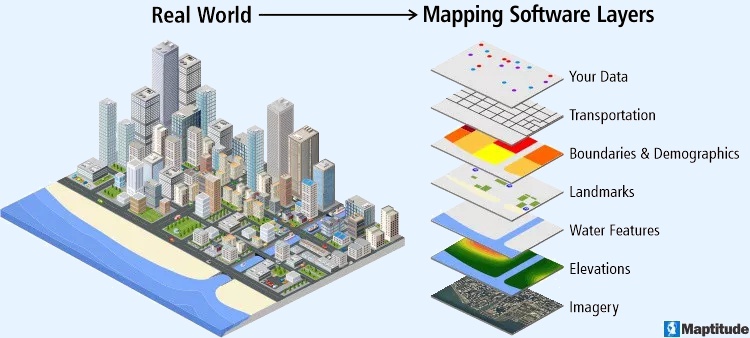
Mapping software is widely used in urban planning, environmental research, transportation, emergency response, government, business analytics, and academic studies. Developers often rely on APIs and SDKs to build custom applications or integrate mapping capabilities into existing workflows, creating seamless end-to-end solutions.
By providing clear visual representations of data, mapping software helps improve efficiency, reveal hidden spatial patterns, streamline operations, and guide strategic planning. Core features typically include interactive map navigation such as zooming and panning, plus support for multiple layers of geographic information that can be styled, filtered, and analyzed for deeper insight.
Yes, GIS (Geographic Information Systems) is a type of software that is used to create and manage geographic data, maps, and spatial analysis. GIS software allows users to input, store, analyze, and visualize spatial data, and to create maps and other types of visual representations of this data. GIS is often used to analyze and understand patterns, trends, and relationships in data that is tied to specific locations, such as data on population demographics, land use, natural resources, and infrastructure. GIS software can be used in a wide range of applications, including environmental planning, natural resource management, public health, transportation, and many other fields.
GIS (Geographic Information Systems) and mapping are closely related, but they are not the same thing. Mapping refers to the process of creating visual representations of geographic data, usually in the form of maps. GIS is a type of software that is used to create, manage, and analyze geographic data, and to create maps and other types of visualizations. While GIS software is often used for mapping, it can also be used for a wide range of other applications, such as spatial analysis, data management, and decision making.
In other words, mapping is a specific type of activity that can be done using GIS software, but GIS is a more general term that refers to the entire system of tools, technologies, and processes used for working with geographic data. GIS includes not only the software that is used to create maps and other visualizations, but also the hardware, data, and other resources that are needed to support these activities.
Based on an analysis of real user reviews, the top 6 best software for mapping are:
1. Maptitude mapping software (best overall and best for business and health care)
2. BatchGeo (Real Estate, Commercial Real Estate)
3. Esri/ArcGIS/ArcMaps (Government Administration, Civil Engineering)
4. Google Maps/Earth (Civil Engineering, Construction)
5. Scribble Maps (Real Estate, Commercial Real Estate)
6. Carto (Web Developers)
Mapping software is a type of GIS (Geographical Information Software). Most reviews are for GIS and are not specific to mapping software.
We identified the top sites for user generated reviews of mapping software. Sites such as SourceForge and SoftwareAdvice both allow sorting by average rating. The only brand featuring in the top 5 of both lists is Maptitude. Maptitude is ranked in first place on SourceForge. Only one other product, RealZips, was reviewed and had a single response.
SoftwareReviews takes a deep dive into how users feel about mapping brands. Each year they publish their Geographic Information Systems Emotional Footprint Awards. Hexagon GeoMedia and Maptitude received multiple best GIS (Geographic Information System) awards.
We sorted by highest rated on the popular Capterra and G2 review sites and Maptitude is again in the top 5 vendors. G2 allows you to compare products side-by-side. We looked at the products for the top-ranking vendors. You can see that the ratings are quite close for the four offerings. However, Maptitude consistently has the highest scores for "Features."

 Check out our G2 Reviews


Home | Products | Contact | Secure Store
 Call Us

